SEO for Small Business Websites: What Actually Works
SEO for small business websites: practical steps that drive real traffic from Google and AI search.

Your website went live six months ago. You set up a Google Business Profile. You posted on social media a few times. And yet, your phone isn't ringing, your inbox is quiet, and when you search for your own services, a competitor three towns over shows up above you.
That's frustrating. But it's also fixable.
SEO for small business websites isn't about gaming algorithms or chasing every Google update. It's about doing a handful of things consistently, things that make your site the obvious answer when someone searches for what you do. This guide covers the practices that move the needle, in the order you should tackle them.
What Small Business SEO Actually Means
SEO is the work of making your website show up when people search for your services. For a small business, that usually means local searches, "plumber near me," "best bakery in Austin," "small business accountant Denver."
Here's a number that matters: "organic search drives 53% of all website traffic." Local searches with "near me" have grown over 200% in the past two years. People aren't browsing, they're searching with intent. Someone who types "emergency HVAC repair tonight" is holding a credit card. Your job is to be the result they click.
Unlike paid ads, SEO doesn't stop when your budget runs out. A page that ranks well today can keep sending you leads for years. For a small business, that compounding effect is everything.
What SEO Won't Do
It won't work overnight. Most changes take weeks to show up in rankings, and competitive terms can take months. It also won't fix a bad product, bad reviews, or a business model that doesn't work. SEO brings people to your door, what happens after that is on you.
Start With the Free Tools Google Gives You
Before you change a single thing on your site, install these two tools. They're free and they tell you exactly what's happening.
Google Search Console
Search Console shows you which queries bring people to your site, which pages rank, and whether Google can even find your content. It also alerts you when something breaks, a page that stopped loading, a mobile usability issue, a manual penalty.
Set it up, verify your domain, and submit your sitemap. That last step is a URL you give Google (usually yoursite.com/sitemap.xml) that lists every page on your site. Most website platforms generate one automatically.
Google Analytics
Analytics tells you what visitors do once they arrive. Which pages they land on, how long they stay, whether they bounce. You can't improve what you don't measure. Set up GA4, the current version, and connect it to Search Console.
Google Business Profile
If verification is blocking your setup, use our Business Profile video verification checklist to identify the failed step. If the profile is already active but hard to find, our Google Maps ranking worksheet helps you compare relevant searches from consistent locations.
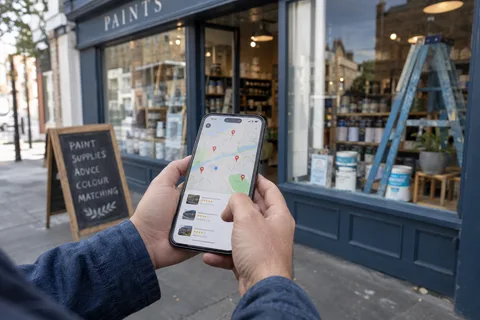
If you serve customers at a physical location, claim and complete your Google Business Profile. This is the panel that shows up on the right side of search results with your hours, photos, reviews, and phone number. It's also the biggest factor in whether you appear in the local 3-pack, the three business listings that show above organic results for local searches.
Fill in every field. Add real photos of your business, not stock images. Respond to every review, yes, even the bad ones. Post updates regularly, even if it's just a photo of a completed job or a new product on the shelf.
Keyword Research That Doesn't Waste Your Time
You don't need a $200-a-month tool to find keywords. You need to think like your customer.
Brainstorm the Obvious Stuff First
Write down every service you offer, every problem you solve, every product you sell. Then write down the words a real person would use to search for those things. "Bathroom remodeler" not "residential renovation services." "Fix leaky faucet" not "plumbing repair solutions."
Use Google's Free Suggestions
Type one of your service phrases into Google and look at three things:
- The autocomplete suggestions (what Google predicts as you type)
- The "People also ask" box (questions real people search)
- The "Related searches" at the bottom of the page
Each of those is a keyword. Each of those is a potential page on your site.
Target Long-Tail Phrases
A search like "dentist" is nearly impossible to rank for. A search like "affordable pediatric dentist in West Seattle open Saturdays" is not. Long-tail keywords, phrases with four or more words, have lower competition and higher intent. Someone searching that specifically knows what they want. Your job is to be the answer.
Make a list of 10 to 20 long-tail phrases that match your services and location. Every page on your site should target one of them.
On-Page SEO: The Stuff You Control Directly
Every page on your site should answer one question. If it doesn't, it probably shouldn't exist.
Title Tags and Meta Descriptions
Your title tag is the blue clickable link in search results. It's also the single strongest on-page ranking signal. Every page needs a unique title tag that includes the primary keyword for that page and your location if relevant. Keep it under 60 characters.
Your meta description is the two lines of gray text below the title. It doesn't directly affect rankings, but it affects whether people click. Write it like a mini-ad for that page. Include the keyword and a reason to click. Keep it under 100 characters.
Headings That Tell a Story
Use one H1 per page, it should match or closely mirror your title tag. Use H2s for major sections and H3s for subtopics. Each heading should include relevant keywords naturally. But more importantly, someone should be able to skim your headings and understand the entire page.
URLs That Make Sense
A URL like yoursite.com/services/plumbing/water-heater-repair tells both Google and a human what the page is about. A URL like yoursite.com/page-id-8372 tells nobody anything. Use words, use hyphens between them, and keep them short.
Images That Pull Their Weight
Every image on your site should have a descriptive file name, blue-kitchen-cabinet-remodel-austin.jpg not IMG_4827.jpg. Add alt text that describes the image for screen readers and search engines. Compress images so they load fast. A 5MB photo of your storefront is slowing down your entire site.
Link Your Pages to Each Other
Every time you publish a new page, link to it from at least two other pages on your site. Use anchor text that describes the destination, "water heater repair in Austin," not "click here." Internal links help visitors find related services, and they tell Google which pages on your site matter most. A page with no internal links pointing to it is a page Google assumes you don't care about.
Content That Earns Its Place
Google's job is to show the best answer to a search query. If your page isn't the best answer, it won't rank. That's the whole game.
Write for One Person, One Problem
Every page should solve one specific problem for one specific person. A page about "kitchen remodeling" shouldn't also try to cover bathroom remodels, basement finishing, and deck building. Split those into separate pages. Depth beats breadth every time.
Answer Questions Completely
If someone searches "how much does a roof replacement cost," they want more than a number. They want to know what affects the price, what materials cost, how labor is calculated, whether insurance covers it, and how to spot a bad estimate. A page that answers all of those questions is the one Google wants to rank.
Show Your Work
Cite sources. Link to original data. Share real examples from your own business. If you're a CPA and you write about tax deductions, show a real scenario with real numbers. Generic advice is everywhere. Specific advice from someone who actually does the work is rare, and Google's E-E-A-T guidelines (Experience, Expertise, Authoritativeness, Trustworthiness) reward it.
Keep Content Fresh
Google notices when a page was last updated. If you have a page about tax laws from 2022, update it. If you run a restaurant and your menu changes seasonally, update it. Set a calendar reminder to review your top 10 pages every quarter and refresh anything that's stale.
Technical SEO: The Foundation Nobody Sees
If your site is slow, broken, or confusing to navigate, none of the above matters. For the deeper technical rundown, see how to fix technical SEO problems that are killing your rankings and how to fix crawlability and indexing issues.
Mobile-First Means Mobile-First
Google indexes and ranks the mobile version of your site. More than 60% of searches happen on phones. If someone has to pinch and zoom to read your text or tap a microscopic button to call you, they'll leave. Test your site on a phone. Better yet, have a friend who's never seen it before try to find and book your services.
Site Speed Is a Ranking Factor
A page that takes longer than three seconds to load loses more than half its visitors. Run your site through Google's PageSpeed Insights. Common fixes: compress images, remove unnecessary plugins, use a decent hosting provider, and enable browser caching. If you're on a site builder like Squarespace or Wix, most of this is handled for you, but huge uncompressed images will still drag you down.
HTTPS Is a Ranking Signal
If your URL still starts with http:// instead of https://, fix that before anything else on this list. Most hosting providers include a free SSL certificate, there's no reason not to have one. Google treats HTTPS as a (small) ranking signal, and visitors treat the padlock icon as a reason to trust you. A "Not Secure" warning next to your URL undoes everything else you've done right.
Make Navigation Obvious
Every important page on your site should be reachable within two clicks from the homepage. Your navigation menu should list your main services or product categories, not "Home," "About," "Blog," "Contact" repeated across every small business site on the internet. Use descriptive labels: "Plumbing Services," "Our Work," "Get a Quote."
Fix Broken Links
A 404 page, "page not found", is a dead end for both visitors and Google. Use Search Console to find broken links on your site and redirect them to the closest relevant page. If you changed your domain or restructured your URLs, this is especially important.
Local SEO: The Shortcut for Small Businesses
If you serve customers in a specific area, local SEO is your highest-ROI channel. Period.
NAP Consistency
NAP stands for Name, Address, Phone number. It needs to be identical everywhere it appears, your website, Google Business Profile, Yelp, Facebook, your local chamber of commerce directory, everywhere. If your address is listed as "123 Main St." on one site and "123 Main Street" on another, Google treats those as two different entities. That inconsistency hurts your local rankings.
Get Listed in Relevant Directories
Beyond Google, get your business listed on Yelp, Bing Places, Apple Maps, and any industry-specific directories that exist for your trade. For a restaurant, that's OpenTable and TripAdvisor. For a contractor, that's Angi and HomeAdvisor. For a law firm, that's Avvo and Justia. Each listing is a signal to Google that your business is real and active.
Build a Dedicated Page for Every Area You Serve
If you serve more than one town or neighborhood, don't cram them all into a single "service area" paragraph. Give each one its own page, yoursite.com/services/plumbing/round-rock, yoursite.com/services/plumbing/cedar-park, with content specific to that area: nearby landmarks, local permitting rules, the kind of jobs you do most often there. A page that just swaps the city name into an otherwise identical template won't rank; Google treats it as thin, duplicate content. A page with real local detail gives you a shot at every "[service] in [neighborhood]" search the citywide version misses.
Reviews Are a Ranking Signal
Google uses reviews, quantity, recency, and rating, to determine local rankings. The businesses in the local 3-pack almost always have more reviews and higher ratings than the ones below them. Ask every happy customer to leave a review. Make it easy: send them a direct link to your Google review page. Don't offer incentives, that violates Google's guidelines and can get your reviews removed.
Link Building Without the Sleaze
Backlinks, links from other websites to yours, are still one of the strongest ranking signals. But most small business link building advice is terrible. Here's what actually works.
Earn Links You Already Deserve
Are you a member of your local chamber of commerce? They probably have a member directory with a link to your site. Do you sponsor a Little League team? Ask for a link on their sponsors page. Have you been quoted in a local news article? Ask the publication to link to your site. These are not manipulative, they're accurate references to your business.
Create Something Worth Linking To
Nobody links to a generic "About Us" page. But they might link to original research, a useful local resource, or a genuinely helpful guide. If you're a real estate agent, publish a data-driven report on your local market. If you're a mechanic, publish a guide on how to diagnose common car problems before calling a tow truck. Give people a reason to reference you.
Partner With Complementary Businesses
A wedding photographer can link to a florist they've worked with, and vice versa. A personal trainer can link to a local nutritionist. These aren't random link swaps, they're genuine recommendations between businesses that serve the same customers. Write a testimonial or a case study about your collaboration and link to each other.
Write for Publications Your Customers Already Read
A single guest article on a local news site, industry blog, or trade publication is worth more than a stack of directory listings. Pitch something specific and useful, a real answer from your own experience, not a generic listicle. Most local outlets and niche trade sites will run a contributed piece if it's genuinely helpful and not a thinly veiled ad. One well-placed article, with a link back to your site, builds authority faster than months of chasing passive backlinks.
SEO and AI Search: What's Changing
AI-powered search, Google's AI Overviews, ChatGPT, Perplexity, is changing how people find information. But the fundamentals of good SEO still apply. Here's what's different.
AI Overviews Pull From Top-Ranking Pages
Google's AI Overviews, the AI-generated summaries that appear at the top of some search results, almost always cite pages that already rank in the top 10. The same factors that rank you well in traditional search make you more likely to appear in AI answers. Content that's clear, well-structured, and authoritative wins in both places.
Structured, Scannable Content Wins
AI models extract information from pages that are easy to parse. Clear headings, bulleted lists, short paragraphs, and direct answers to specific questions all help. If your page buries the answer in the seventh paragraph of rambling prose, neither an AI nor a human will find it.
Generative Engine Optimization (GEO) Adds Nuance
GEO is the practice of optimizing content specifically for AI-generated answers. The research so far shows that three things improve your odds of being cited by AI models: including statistics and data points, using authoritative sources, and writing in a clear, quotable style. Adding relevant quotes from experts and citing your own credentials also helps.
What This Means for Your Small Business
You don't need a separate GEO strategy. You need to do SEO well, and then add the things that make your content quotable. Cite sources. Include numbers. State clear, standalone claims. Write in complete, digestible sentences. The same content that ranks well in Google is increasingly what AI models cite.
How to Prioritize When You Have Limited Time
You're running a business. You don't have 40 hours a week for SEO. Here's a realistic sequence:
Week 1: Foundation
Set up Google Search Console, Analytics, and your Google Business Profile. Submit your sitemap. Check your site on mobile. Fix anything that's broken.
Week 2: Keyword List
Brainstorm your services and customer questions. Use Google's autocomplete and "People also ask" to build a list of 10 to 20 long-tail keywords. Assign each one to an existing page or plan a new page for it.
Week 3: Optimize Your Top 5 Pages
Take your five most important pages and fix their title tags, meta descriptions, headings, and image alt text. Make sure each page answers one question completely.
Week 4: Start a Content Habit
Publish one new page or blog post per month that targets a long-tail keyword. It doesn't need to be long, 800 words that thoroughly answer a specific question beats 2,000 words of fluff every time.
Ongoing: Reviews and Freshness
Ask for one review per week. Update your top pages quarterly. Check Search Console monthly for new queries and broken links.
SEO Effort vs. Impact: What to Expect
| Approach | Time Investment | Cost | First Results | Best For |
|---|---|---|---|---|
| DIY fundamentals | 3–5 hours/week | $0–$100/month | 3–6 months | Solo operators, very local |
| DIY + tools | 5–10 hours/week | $100–$300/month | 2–4 months | Hands-on owners with some budget |
| Hire a freelancer | 1–2 hours/week oversight | $500–$1,500/month | 2–4 months | Busy owners, competitive niches |
| Full-service agency | Minimal oversight | $1,500–$3,000/month | 1–3 months | Multi-location, ecommerce, high stakes |
Related Reading
If you've got the fundamentals in this guide handled and want the shorter, no-nonsense version focused on the highest-leverage moves, see SEO that gets you customers without wasting your time. If you're starting from scratch, 12 things that matter most when creating a website covers the fundamentals before you get to SEO specifics.
FAQ
How long does SEO take for a small business website?
Most sites see movement within three to six months of consistent work. Competitive industries and new websites can take longer. The timeline depends on your competition, the quality of your content, and how aggressively you're building authority. The best time to start was a year ago. The second best time is today.
Can I do SEO myself or should I hire someone?
You can do the fundamentals yourself, Google Business Profile, on-page optimization, basic keyword research, and content creation. If you're in a competitive market, if technical issues are beyond your comfort zone, or if you'd rather spend your time running the business, hiring an SEO professional makes sense. Just vet them carefully: ask for case studies, check their own rankings, and run from anyone who guarantees #1 placement.
How much does SEO cost for a small business?
DIY SEO costs your time. If you hire a freelancer or agency, expect to pay $500 to $3,000 per month depending on the scope of work and your market. Local SEO for a single-location business tends toward the lower end. National ecommerce SEO is more expensive.
What's the difference between SEO and Google Ads?
SEO brings organic traffic, you don't pay per click. Google Ads brings paid traffic, you pay every time someone clicks your ad. SEO takes longer to produce results but compounds over time. Ads produce immediate traffic but stop the moment you stop paying. Most small businesses benefit from both, but SEO is the better long-term investment.
Does social media help SEO?
Social media activity doesn't directly affect search rankings. Google has stated that social signals are not a ranking factor. But social media drives traffic to your site, increases brand awareness, and can lead to backlinks from people who discover your content, all of which indirectly support your SEO.
What is E-E-A-T and does it matter for small businesses?
E-E-A-T stands for Experience, Expertise, Authoritativeness, and Trustworthiness. It's the framework Google uses to evaluate content quality, especially for topics that affect people's health, finances, or safety. For small businesses, demonstrating E-E-A-T means showing real experience, photos of your work, case studies, reviews, credentials, and content written by someone who actually does the thing they're writing about.
Do I need a blog for SEO?
You need pages that answer customer questions. Whether you call it a blog, a resource center, or a services page doesn't matter. What matters is that when someone searches for information related to your business, you have a page that answers their question thoroughly. A blog is just the easiest format for publishing that kind of content regularly.
How do I know if my SEO is working?
Track three things in Google Search Console: total clicks from search (trending up over time), average position for your target keywords (moving toward page one), and the number of pages Google has indexed (should match or exceed your actual page count). In Google Analytics, track organic traffic and conversions, phone calls, form submissions, purchases, from organic search.
The One Thing to Do Right Now
Run your website through Lookelo's free SEO audit. It checks your site speed, mobile usability, on-page optimization, and technical health, and gives you a prioritized list of exactly what to fix. You'll know in five minutes whether your biggest problem is bad keywords, slow pages, or missing meta tags.