
Why Your Google Maps Ranking Is Low Despite Good Reviews
Diagnose a weak Google Maps ranking with a fixed-location worksheet. Separate service relevance, distance, profile issues, and real customer inquiries.
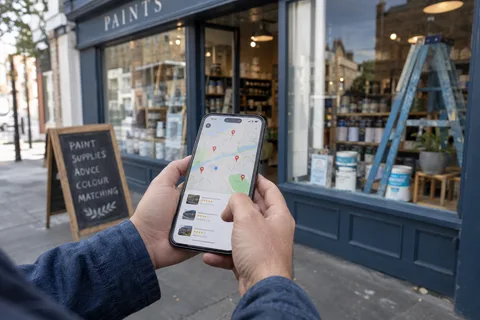
Good reviews can help your Google Maps ranking, but they don't determine it alone. Before asking for more reviews or posting more updates, check which service query you're testing, where the search happens, and whether you're comparing the same type of result.
A plumbing business can appear for its exact name and still struggle for “water heater repair.” A hardware store can be visible near its front door and harder to find across town. Those are different problems.
Why Google Maps ranking isn't a review contest
Google describes local ranking in terms of relevance, distance, and prominence. Reviews contribute to prominence alongside other information, including links to the business. The searcher's location and the match between the profile and the query also matter. Google says you can't pay for a better local ranking. See its local ranking guidance.
The useful question is therefore more specific than “Why does a business with fewer reviews beat me?” Ask: “For this service, at this search location, what does the result show?”
Save the query and result before changing your profile. Otherwise, a later improvement or decline may come from testing somewhere else.
Build a small comparison you can repeat
Use a worksheet with one row for each observation. Record the date, exact query, search location, result type, your position or absence, and the businesses shown above you. Keep ads separate from unpaid Maps results. A Maps result and a blue website link need separate columns.
Choose locations that matter commercially: the neighborhoods where you actually accept work, or where customers travel from to reach your store. Use an appropriately configured location-based rank tool or checks made from known physical locations. Typing a town into a query doesn't establish that the search itself happened there.
For an illustrative plan, choose nine locations, two queries, and three repeat checks. That produces 9 × 2 × 3 = 54 observations. One query uses your exact business name; the other names a specific service you want to sell.
This is a manageable worksheet design, not a scientifically validated sample size. Keep the locations and query wording fixed between checks. Record failed checks separately rather than treating them as a ranking of zero.
| Pattern in the worksheet | Working hypothesis | What to inspect next |
|---|---|---|
| Business name appears, service query doesn't | Service match deserves attention | Core category, service descriptions, and the linked page |
| Service visibility is stronger near the base | Geography may be influencing the result | Whether the target area and comparisons are realistic |
| Visibility disappears across the same locations | A broader change needs investigation | Profile status, recent edits, and competing results |
| Visibility holds but inquiries fall | Discovery may not be the main problem | Phone handling, opening hours, website, and quote form |
These are starting hypotheses. The worksheet narrows the investigation; it doesn't reveal Google's private ranking weights.
Book a free 20-minute call to review where customers can find you and what happens when they reach your website.
Separate branded visibility from service visibility
Imagine a completed check finds your business in the top three at all nine locations for its name, but at four locations for the service query. Service coverage is 4 ÷ 9 = 44.4% in that check.
That number describes those nine selected locations for that one query. It isn't your share of customers, your market share, or the percentage of town where Google recommends you.
The useful result is the gap between queries. Review whether the profile and landing page clearly describe that service. If the name query is missing too, check the profile's status before commissioning more content. A failed Business Profile verification needs its own investigation.
Make the next change explainable
Check the real business name and core categories first. Google requires categories that describe the actual business and prohibits unnecessary information in the business name. Adding service keywords to imitate a competitor's name isn't a sound repair. Read the business representation rules.
Next, read the linked service page as a prospective customer. Can they tell what you fix, where you work, and how to request a quote? Replace vague claims with actual service details and relevant examples you can substantiate.
Write down the problem, the change, and the outcome you expect to observe. For example: “The profile links to a generic homepage; we will link to the page that explains this location's actual services.” Keep factual corrections timely. For optional experiments, avoid changing every field at once and then crediting a single change for the result.
Check whether visibility turns into useful calls
Google Business Profile's Calls metric counts call-button clicks. It doesn't establish that someone reached you, requested the right service, or booked a job. Google's performance metric definitions also distinguish website clicks from other interactions.
Keep a separate record of answered inquiries, qualified quote requests, and booked work. Define “qualified” before counting: a real prospective customer, inside your service area, asking for work you perform.
If an agency reports better Maps visibility but can't explain the inquiry numbers, use our local SEO agency evaluation guide to structure the conversation.
Common Maps ranking questions
Should I stop collecting reviews if rankings are flat?
Continue building an honest record of customer feedback. Flat rankings are a reason to investigate the other factors, not evidence that reviews have no value.
Does selecting a larger service area guarantee wider rankings?
Don't treat your service-area settings as a promise of ranking coverage. Describe where you genuinely work, then measure visibility from relevant locations.
When should I compare the results again?
Choose a repeatable review schedule and document changes between checks. Don't promise a ranking improvement by a fixed date from this worksheet.
Start with one service query and a written record of where you checked it. That gives your next change a baseline.
Research note: eight independent askers raised weak or stalled Maps visibility in our August 14–September 12, 2026 convenience sample. This is a question count, not a ranking study. The 54-check plan and 44.4% example above are illustrative. See the research method and limitations.