Oliver Zeman
12 Things That Matter Most When Creating a Website
A clear purpose, fast loading, mobile design. 12 things that matter most when creating a website.
You've probably read a dozen articles already. Each one tells you something different. One says design is everything. Another says it's all about SEO. A third swears speed is the only metric that counts.
They're all half right.
Creating a website that actually works means getting a dozen things right, in the right order, without burning out trying to be perfect.
Here's what actually matters, ranked by how badly it hurts when you get it wrong.
1. Define your goal before you touch a builder
Most bad websites have one thing in common: nobody stopped to ask why they exist.
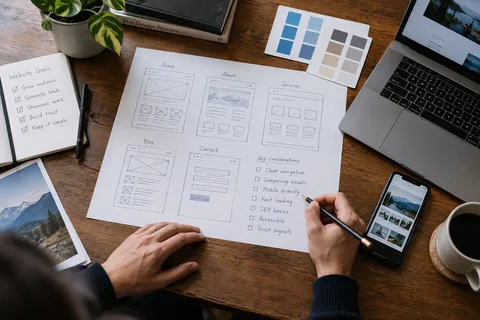
Before you pick a platform, a template, or even a color, answer three questions:
- What's the one thing you want visitors to do? Buy? Call? Subscribe? Pick one primary action.
- Who are they? Not "everyone." An actual person with actual problems.
- How will you know it's working? A number. Sales, signups, calls booked.
A plumber's website needs a phone number front and center. A SaaS company needs a free trial button. Same tool, completely different job.
If you can't answer these three questions in under a minute, you're not ready to build. You're ready to waste time.
2. Know exactly who you're building for
"Small business owners" isn't an audience. It's a census category.
Your audience is a specific person. A restaurant owner who's too busy to update their menu online. A freelancer who keeps losing proposals to competitors with better sites. A marketer who needs to prove their website is driving revenue.
If a local service business is your situation, SEO for small business websites: what actually works walks through the specific playbook once your site is live.
When you know who that person is, every decision gets easier. The words you use. The images you pick. The features you include and the ones you skip.
Spend 20 minutes writing down what your ideal visitor cares about, what they're afraid of, and what they need to see before they'll trust you. That document is worth more than any template.
3. Make navigation so simple it's boring
Visitors don't explore websites. They scan them, hunting for the one thing they came for. If they can't find it in a few seconds, they leave.
Your navigation should answer three questions instantly:
- Where am I?
- What can I do here?
- How do I get to the thing I want?
Keep your main menu to five items or fewer. Use labels people actually recognize, not clever internal jargon. "Services" works. "What We Do" works. "Solutions" doesn't tell anyone anything.
Put your most important page in the menu. Not buried in a dropdown. Not hidden behind a hamburger icon on desktop. Right there, where someone can click it without thinking.
4. Design for phones first, desktop second
Over 58% of web traffic worldwide comes from mobile devices. In some industries, that number is closer to 70%.
If your site looks great on a 27-inch monitor but falls apart on a phone, you've built it for the minority of your visitors. Reverse the order. Design the cramped, tricky version first. Then scale up.
Mobile-first design means:
- Buttons big enough to tap with a thumb
- Text readable without pinching and zooming
- No horizontal scrolling. Ever
- Forms that don't require a keyboard gymnastics routine
Test on a real phone, not just your browser's responsive mode. The difference matters.
Your website is a lead generator, not a brochure. Most small business websites get traffic but convert almost nothing. If you're wondering why, run a free scan at lookelo.com and see exactly what's costing you customers. It takes two minutes.
5. Speed matters more than you think
A page that takes three seconds to load has a bounce rate roughly 32% higher than one that loads in one second. At five seconds, bounce probability jumps to 90%.
Speed isn't a technical nice-to-have. It's a conversion problem.
The quickest wins:
- Compress your images before uploading them. A 5MB hero image is a silent conversion killer.
- Use a decent host. The $3/month plan is rarely the bargain it looks like.
- Cut the plugins you're not using. Every script adds load time.
- Enable caching. Most platforms do this by default now, but check.
Google's Core Web Vitals give you specific targets: Largest Contentful Paint under 2.5 seconds, Interaction to Next Paint under 200 milliseconds, Cumulative Layout Shift under 0.1. Hit those three and you're ahead of most sites.
6. Write content people actually want to read
Most website copy is a company talking to itself. "We leverage innovative solutions to deliver synergistic outcomes." Nobody talks like that. Nobody reads it either.
Good website content does three things:
- Answers the question the visitor came with
- Explains what you do in plain language
- Tells them what to do next
Start with the visitor's problem, not your credentials. Use short sentences. Break up paragraphs. If a sentence feels hard to read out loud, rewrite it.
Your homepage should explain what you do in under eight seconds of reading time. Your about page should tell a story, not list achievements. Every page should end with a clear next step.
7. Make every page push toward one action
A page without a call to action is a dead end. Visitors hit the bottom and bounce because you never told them where to go.
Every page on your site should have a single, obvious next step. Not five. One.
- Homepage: "Start your free trial" or "See our work"
- Service page: "Book a call" or "Get a quote"
- Blog post: "Read this related article" or "Subscribe"
The button should be visible without scrolling on key pages. The text should say what happens next. Not "Submit." Not "Learn More." Something specific: "Get your free estimate" or "Start your 14-day trial."
If you're unsure whether your CTAs are working, lookelo.com can help you track what visitors actually click and where they drop off.
8. Build trust with proof, not claims
Anyone can say they're "trusted by thousands" or "the industry leader." Those phrases mean nothing because everyone uses them.
Real trust comes from proof:
- Customer testimonials with full names and photos
- Case studies with actual numbers: "We helped X increase Y by Z%"
- Logos of recognizable clients (with permission)
- Reviews from third-party platforms like Google or Trustpilot
- A real phone number and a real address
The Baymard Institute found that 32% of consumers would leave a brand they love after a single bad website experience. Trust is fragile. Earn it with evidence, not adjectives.
9. Get SEO basics right from day one
SEO isn't a thing you bolt on after launch. It gets built into the structure of your site.
You don't need to be an expert. You need to get the basics right:
- Every page gets a unique title tag that describes what's on it
- Every page gets a meta description that makes someone want to click
- Your headings use a logical hierarchy (one H1, then H2s, then H3s)
- Images have alt text that describes what they show
- URLs are readable:
/website-audit-toolnot/page?id=472 - Internal links connect related pages so both visitors and search engines can navigate your site
The goal isn't to trick Google. It's to make your site easy to understand, both for search engines and for people. Those two things overlap more than most people realize.
If your new site isn't showing up in search a few weeks after launch, the fix usually lives in crawlability and indexing or a deeper technical SEO problem.
10. Make it accessible to everyone
Web accessibility isn't just about compliance or avoiding lawsuits. Skip it and you shut real people out.
Roughly 15% of the world's population has some form of disability. That's over a billion people. Many of them use assistive technology to browse the web. If your site doesn't work with screen readers, keyboard navigation, or voice control, you're turning away real customers.
The practical steps aren't complicated:
- Add alt text to every meaningful image
- Use enough color contrast between text and background
- Make sure every interactive element works with a keyboard
- Label your form fields clearly
- Use proper heading structure, not just bold text that looks like a heading
These changes also improve your SEO. Google rewards clean, well-structured, accessible sites.
11. Lock down security
An insecure site is a liability, not an asset. If you collect any user data, even just email addresses, security is non-negotiable.
The minimum:
- HTTPS everywhere. Every page, every resource. Browsers now flag HTTP sites as "Not Secure."
- Keep your platform and plugins updated. Most breaches exploit known vulnerabilities that were patched months ago.
- Use strong passwords and two-factor authentication for admin access.
- Back up your site regularly. If something goes wrong, you want a restore point that's hours old, not months old.
If you're using a hosted platform like Shopify or Squarespace, much of this is handled for you. If you're on WordPress, the responsibility is yours. Don't ignore it.
12. Test, measure, and keep improving
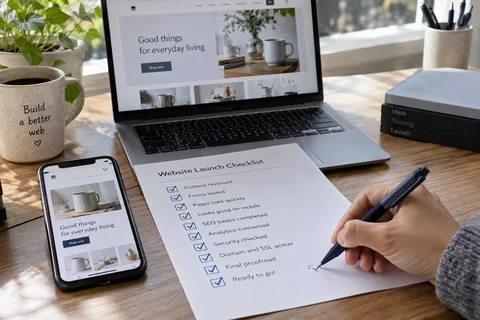
A website is never finished. The day you launch is the day you start learning what's broken.
Set up analytics from day one. Google Analytics is free and takes 15 minutes to install. You'll want to know:
- Where your visitors come from
- Which pages they land on and which ones they leave from
- What they click and what they ignore
- Where they drop off in your funnel
Then act on what you learn. If a page has a 90% bounce rate, fix it. If a CTA nobody clicks, test a different version. If mobile visitors convert at half the rate of desktop visitors, figure out why.
The best websites aren't the ones that launched perfectly. They're the ones that kept getting better.
Ready to see how your site stacks up? Lookelo scans your website for SEO issues, speed problems, and conversion blockers, then gives you a clear, prioritized fix list. Free scan, no signup required.
FAQ
What's the single most important thing when creating a website?
A clear purpose. Everything else flows from knowing exactly what you want visitors to do and who you're building for. Without that, you'll make design decisions, content decisions, and platform decisions that don't add up to anything coherent.
How much does it cost to create a website?
It depends on what you need. A simple site built with a builder like Wix or Squarespace can cost $15 to $50 per month all-in. A custom WordPress site with a developer might run $2,000 to $10,000 upfront plus $30 to $100 monthly for hosting and maintenance. Ecommerce adds transaction fees and platform costs. Start with the cheapest option that meets your needs, not the cheapest option available.
How long does it take to create a website?
A basic site using a template can go live in a weekend. A custom business site with multiple pages, custom design, and content typically takes four to eight weeks. Complex projects with custom functionality can take months. The biggest variable is content. Writing good copy, taking good photos, and gathering testimonials usually takes longer than the build itself.
Do I need to know how to code?
No. Modern website builders handle everything visually. But understanding the basics of how websites work, what your platform can and can't do, and when to hire help will save you a lot of frustration.
What makes a website load slowly?
Large images are the most common culprit. Then come too many plugins or scripts, cheap hosting, and unoptimized video embeds. Run your site through Google's PageSpeed Insights to get a specific breakdown of what's slowing you down.
Should I build my website myself or hire someone?
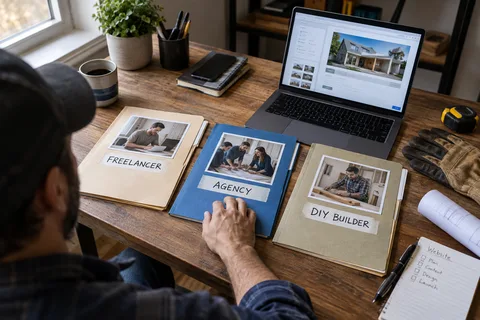
If you need a simple, functional site and you're willing to learn, do it yourself. If you need custom functionality, a unique design, or you simply don't have the time, hire someone. The middle ground, paying someone $500 for a "custom" site built on a template, is usually the worst of both worlds.
How often should I update my website?
Content updates should be ongoing. Add blog posts, case studies, or portfolio pieces regularly. Technical updates, security patches, and plugin updates should happen at least monthly. A full redesign every two to three years keeps your site from looking dated and lets you incorporate what you've learned about your audience.
Want us to look at your website and search visibility?
Book a free 20-minute call. We'll check how you show up on Google, Maps, and AI answers before we talk.
Book a free 20-minute call