How to Choose a POS That Runs Your Counter and Website
Picking a POS for a store that also sells online? Learn what to list first, how to compare the real monthly cost and why one shared item list matters.
Your register is the one system every sale goes through. So when you pick a point-of-sale system, you're also picking how your stock counts work, how card payments get paid out and whether your website can ever sell what's on your shelves.
Store owners know that, and it shows. Over the past month we counted 13 Reddit posts from owners and staff of businesses that sell from a shop or counter, asking which POS to choose or how it should work with the rest of their setup. It was the biggest group of owner questions in our scan, ahead of Google listing problems and online ordering questions.
What did store owners ask about POS systems this month?
Most of them weren't asking which brand is best. They were asking whether a system could handle the way their store actually works.
| What the original post said | Posts (of 13) |
|---|---|
| Needs the POS to track stock, import items or scan barcodes | 9 |
| Has a need a basic register may not cover | 9 |
| Mentions a website, online orders or click and collect | 7 |
| Asked about card processing or terminals | 5 |
| Is replacing a current system | 4 |
| Is opening a new store | 4 |
| Asked what it really costs each month | 3 |
These are Lookelo's counts from a small sample of Reddit posts dated October 1 to November 1, 2026. Each post can count in several rows. Only one came from a hardware store, so read them as a picture of where owners get stuck, not as a survey. You can check every post and coding decision in the question dataset.
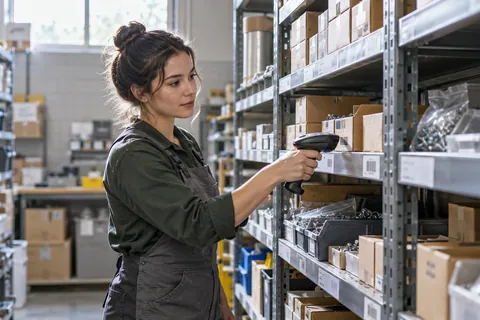
The "basic register" row is the one to notice. A fabric store needed stock tracked to a quarter yard. A hardware store with thousands of products wanted staff to scan items on the floor and key in a quantity of 30 screws without walking back to the register. A used furniture dealer had items with no standard SKU at all.
Should your POS and website share one inventory?
Yes, if your website sells anything. When the POS and the online store work from one item list, a sale at the counter and a sale online both come off the same count, so your site doesn't sell something that left on a contractor's truck an hour ago.
Some platforms are built this way. Shopify's point of sale help pages say its POS tracks orders and inventory across your retail locations and online store. Square takes a similar approach, but its guide to managing online item settings notes that an item has to be assigned to an online channel before anyone can buy it there, and that website sale prices don't carry back to its other platforms. Details like that are worth knowing before you load your whole catalog.
One post in our sample shows what happens when the link breaks. A new bakery owner said online pickup orders sometimes never reached the staff, so customers showed up for orders nobody had made. They switched online ordering off until they could find the fault. That's the risk in plain terms: a website that takes orders your counter can't see.
What should you write down before you talk to POS vendors?
Write down how your store works today, then make every vendor show you their system doing it. Nine of the 13 posts had a need a standard demo wouldn't cover, so don't assume yours is the exception.
- How you sell by the unit. Lumber by the board foot or linear foot, chain and rope by the foot, fasteners by the box or by the each, paint by the gallon with tints.
- How many items you carry, and whether you can export them from your current system with SKUs, costs and prices.
- What happens at the counter. Held sales, house accounts, special orders, contractor pricing, scanning in the aisle.
- How online orders should reach staff. A screen, a printer, an email, a text. Pick one that someone will actually see during a Saturday rush.
- How you take cards now, and whether the POS requires its own payment processing.
If a vendor can't show you items 1 and 4 working, keep looking. The bakery post above is a reminder that a gap in step 4 turns into customers waiting at the counter for orders nobody saw.
Get your POS and online store planned together before you buy anything.
How do you compare the real monthly cost?
Add up every line, not the headline price. Three posts in our sample asked what a setup really costs, and each one was stuck on the parts around the base price.
A planned bookstore couldn't tell whether a book-ordering add-on's monthly fee included the reporting it needed or required a second subscription. A fabric store found that the features it needed meant a higher plan plus another app, which pushed one option past $120 a month.
So build a simple sheet for each option with these rows: software per register, add-ons you need (inventory, loyalty, ecommerce), card processing rates, hardware, and the online store plan if it's separate. Then compare totals. If you want help judging what the website side should cost, our guide to what website management actually costs breaks that part down.
What if you have to switch POS systems later?
Plan for it now, because it's harder than it looks. Four posts came from owners replacing a system, and one shows why. A store with about 1,000 SKUs ran its POS, payments, website and domain all on one platform. When that platform stopped allowing a product category the store sells, the owner had to rebuild everything at once from separate parts.
You can't predict a policy change, but you can keep your exits open:
- Keep your domain registered in your own name, with a registrar you control.
- Export your item list with SKUs, prices and stock counts every few months, and check that the file opens.
- Know which of your settings live in the POS and which live in the website.
Do you need an online store on day one?
No. Two owners opening new stores treated online selling as a later step or a nice extra, and that's a fair way to start. What matters on day one is that the POS you pick can feed a website later without retyping your catalog.
When you're ready, start with the items shoppers ask about most. Our research on what hardware shoppers need from product pages shows which details matter, and the pre-launch checklist covers testing stock and pickup before you switch online ordering on. If you'd rather hand the build to someone, that's what our ecommerce website service does for independent stores.
How we counted the questions
We searched Reddit on November 1, 2026 with 31 queries about store websites, inventory sync, pickup and Google listings, limited to the past month. We screened the business-community results for posts written by people who sell from a physical shop or stand, then read every post that mentioned a POS or point of sale. We kept 13 that asked which POS, payment setup or connected inventory tool to use, or how a POS should work with online orders. One person coded the original posts. Online-only businesses, restaurants and developers promoting their own POS were left out.
The methodology lists the queries, rules, codebook and limits. The counts describe this sample only, not all stores or all POS systems.