Oliver Zeman
Is Your Website Outdated? 10 Signs to Check Right Now
Websites don't age like wine — they age like milk. Here are 10 signs your site is quietly bleeding trust and traffic.
You built your website a few years ago. It worked. You moved on to other things.
But here's the problem: websites don't age like wine. They age like milk.
A site that quietly sat untouched since 2021 is now a liability. It's slower than your competitors. It looks off on phones. Google's stopped paying attention. And your visitors? They notice within three seconds of landing on the page.
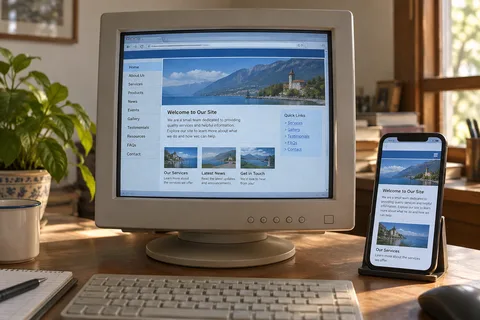
The tricky part is that an outdated website doesn't break all at once. It fades. One month the blog goes quiet. Then someone updates the team page wrong. Then a form stops forwarding emails. Nobody notices because nobody's checking.
So let's check. Here are ten signs your website is outdated, ranked from most obvious to the ones that quietly bleed trust and traffic.
1. Your Copyright Footer Is Stuck in the Past
Scroll to the bottom of your site. What year does the copyright say?
If it reads anything before 2025, you've got a problem. Not because the copyright itself matters legally. Because it tells every visitor that nobody has touched this site in years.
You wouldn't hand a prospect a brochure with "Printed in 2019" on the cover. Your website footer sends the same message.
When someone sees "© 2022" on a site they're considering doing business with, they wonder: Is this company still active? Are they still paying attention?
Fix it. Set your footer to auto-update the year. It takes five minutes.
2. The Site Crawls on Mobile (or Breaks Entirely)
Open your website on your phone. Right now. Don't resize a desktop browser. Actually pull out your phone.
Do you have to pinch and zoom to read text? Are buttons too small to tap? Does the navigation menu collapse into something unusable? Is there a horizontal scroll bar?
If you answered yes to any of those, your site is outdated. Flat out.
Mobile devices now account for over 60% of web traffic globally. Google uses mobile-first indexing. That means Google looks at your mobile site first when deciding where to rank you. If your mobile experience is broken, your rankings are broken too.
Modern sites are responsive by default. They adapt to any screen size without the user thinking about it. If yours doesn't, you're not dealing with a minor tweak. You need a rebuild.
3. Pages Take More Than 3 Seconds to Load
Run your homepage through Google PageSpeed Insights. It's free. It takes ten seconds.
If your score is below 50 on mobile, you're in trouble. If pages take more than three seconds to load, you're losing roughly 7% of conversions for every extra second of delay.
Slow load times usually come from three places: uncompressed images, bloated code, and cheap hosting. All three are fixable. But the longer you wait, the more visitors you lose.
And here's what most people miss: Google measures your Core Web Vitals as a ranking factor. A slow site isn't just annoying. It's actively pushing you down in search results.
4. You're Still on HTTP, Not HTTPS
Look at your URL bar. Does it start with https:// or http://?
If it's the latter, browsers are showing a "Not Secure" warning to every visitor who lands on your site. Chrome, Safari, Firefox — they all flag non-HTTPS sites. And that warning alone kills trust before anyone reads a word of your content.
SSL certificates have been standard since 2018. They're free through services like Let's Encrypt. There's no excuse for http:// in 2026.
Beyond the browser warning, Google uses HTTPS as a ranking signal. An insecure site ranks lower. Period.
This is the easiest fix on the list. If your host doesn't offer free SSL, switch hosts.
5. Your Content Went Stale Months Ago
When was the last time you published a blog post? Updated a service page? Added a new case study?
If the answer is "I don't remember" or "sometime last year," your site is stale.
Stale content does two things. First, it tells visitors you've stopped investing in your own business. An active blog signals a living company. A dead blog signals the opposite.
Second, Google rewards fresh content. Sites that update regularly get crawled more often. Pages that sit untouched for months slowly lose rankings to competitors who keep their content current.
Check your blog. If the most recent post is from 2023, you have a decision to make: commit to publishing regularly or remove the blog entirely. A ghost town is worse than no blog at all.
6. The Design Screams 2015
Design trends shift fast. What looked professional in 2018 looks dated now. Here's what gives old websites away:
- Tiny text crammed into narrow columns
- Heavy drop shadows and glossy buttons
- Stock photos of people shaking hands in a boardroom
- Sidebars stuffed with widgets nobody clicks
- Animated elements that flash or scroll on their own
Modern design is quieter. Big typography. Generous white space. High contrast. Intentional images. Navigation that gets out of the way.
If your site looks like it was built when flat design was still a hot take, visitors notice. And they make assumptions about your business based on what they see.
You can check your own design history. Plug your URL into the Wayback Machine and look at your site from five years ago. If today's version looks almost identical, you're overdue.
7. Your Team Page Is a Work of Fiction
Go to your About or Team page. Read every name. Every title. Every bio.
How many people have left the company? How many titles have changed? How many bios describe work that stopped being relevant two years ago?
An inaccurate team page is worse than no team page. It tells visitors that you don't pay attention to details. And if you can't keep your own website accurate, the thinking goes, what else are you sloppy about?
Same goes for your service pages. If you've added new services, retired old ones, or changed your pricing, your website should reflect that. If it doesn't, you're leaving money on the table.
8. Links and Forms Are Broken
Click every link on your homepage. Submit every form. Send a test email through every contact form.
I guarantee you'll find something broken.
Links point to pages that no longer exist. Forms send submissions into a void. CTAs go to old landing pages that were taken down months ago. PDFs that were supposed to be downloadable 404.
Broken links and forms do more than annoy visitors. They signal to Google that your site isn't maintained. And search engines penalize sites with poor user experience.
You can find broken links fast with a site audit. Run it once. Fix what it finds. Then set a reminder to check again next quarter.
9. Google Has Stopped Sending You Traffic
Pull up your Google Search Console or analytics. Look at your organic traffic over the last 12 months.
Is it flat? Declining? If so, your site is likely suffering from one or more of the issues above, and Google has quietly downgraded you.
Google's algorithm updates now happen multiple times a year. Each update raises the bar for what counts as a quality site. An outdated site that was ranking fine in 2022 might be invisible in 2026.
The signs are subtle. You lose a few positions here. A page drops off page one. Traffic from a key keyword disappears. It happens slowly enough that you don't notice until you check the numbers.
If your analytics show a downward trend, your site is outdated. Not because the design is old. Because Google's standards have moved on and your site hasn't kept up.
10. You're Embarrassed to Share the URL
This is the gut-check test. When someone asks for your website, do you hesitate? Do you preface it with "it's a little outdated, but..."?
If you're embarrassed to share your own URL, your site is outdated. You don't need a checklist to tell you that. You already know.
The question isn't whether your site needs work. It's whether you're going to do something about it.
So Your Site Is Outdated. Now What?
You have two paths: refresh or rebuild.
A refresh works if your site is structurally sound. The CMS is up to date. The hosting is decent. The responsive design mostly works. You just need new content, updated images, faster load times, and a visual polish. Think of it as a deep clean.
A rebuild is what you need if your site is on an outdated CMS, the mobile experience is broken, the design is 8+ years old, or the underlying code is a mess. At that point, patching individual issues is like putting new tires on a car with no engine.
Most sites that show four or more of the signs above need a rebuild, not a refresh.
If you're not sure which camp you're in, run a free website audit at Lookelo. It'll give you a clear picture of what's broken, what's slow, and what Google sees when it crawls your site.
FAQ
How often should I redesign my website?
Every two to three years for a visual refresh. Every three to five years for a full rebuild. The exact timeline depends on your industry. Ecommerce sites age faster. A local service business might stretch to five years. But if you wait longer than five, you're almost certainly behind.
What's the difference between domain age and website age?
Domain age is how long you've owned the URL. You can check it with ICANN Lookup or a domain age checker. Website age is when the current version of the site was built. A domain registered in 2010 could have a website built last month. The two are unrelated. Google cares about domain age as a trust signal. Users care about website age as a design signal.
How do I check when my website was last updated?
Use the Wayback Machine to see historical snapshots of your site. Check your CMS dashboard for the last modification dates on key pages. And look at your blog or news section for the most recent publish date.
Does an outdated website hurt my SEO?
Yes. Google factors in page speed, mobile responsiveness, HTTPS, content freshness, and user experience signals. An outdated site typically fails across multiple of those dimensions. Rankings don't drop overnight. They erode gradually as competitors with newer, faster sites outrank you.
Can I just update my content and leave the design?
You can, but it's a half measure. Fresh content on an old design is like a new menu in a restaurant with peeling paint. The content helps with SEO. But visitors still judge the experience. If your design is more than four years old, prioritize a visual refresh alongside content updates.
How do I know if I need a refresh or a full rebuild?
If your site loads in under three seconds, works on mobile, runs on a modern CMS, and the design is less than five years old, refresh it. If it fails on any of those, rebuild. Not sure? Run a full audit and let the data decide.
Your website is a business asset. Manage it like one. Start your free scan at Lookelo to see how your site performs, where it's vulnerable, and what to fix first.
Want us to look at your website and search visibility?
Book a free 20-minute call. We'll check how you show up on Google, Maps, and AI answers before we talk.
Book a free 20-minute call